
Hitesh KS

Purple [Unreal Engine 5]
Tools & Technologies:
-
Unreal Engine 5 (Blueprints, UI, Level Design)
-
Animation Montages (Combat animation systems)
-
Niagara VFX (Glow effects for Purple’s attack)
-
Sequencer (Cutscenes and transitions)
-
Photoshop (UI mockups, icons, textures)
-
UE5 Widget Blueprints (Menus, buttons, HUD)
-
Git (Version Control)
Project Timeline
January 1, 2024
January 18, 2024
March 12, 2024
August 20, 2024
May 1, 2024
April 16, 2024
Gameplay Trailer
My Contributions
Core Gameplay & Combat Systems
Designed and implemented 3 Playable Characters with unique combat styles:
-
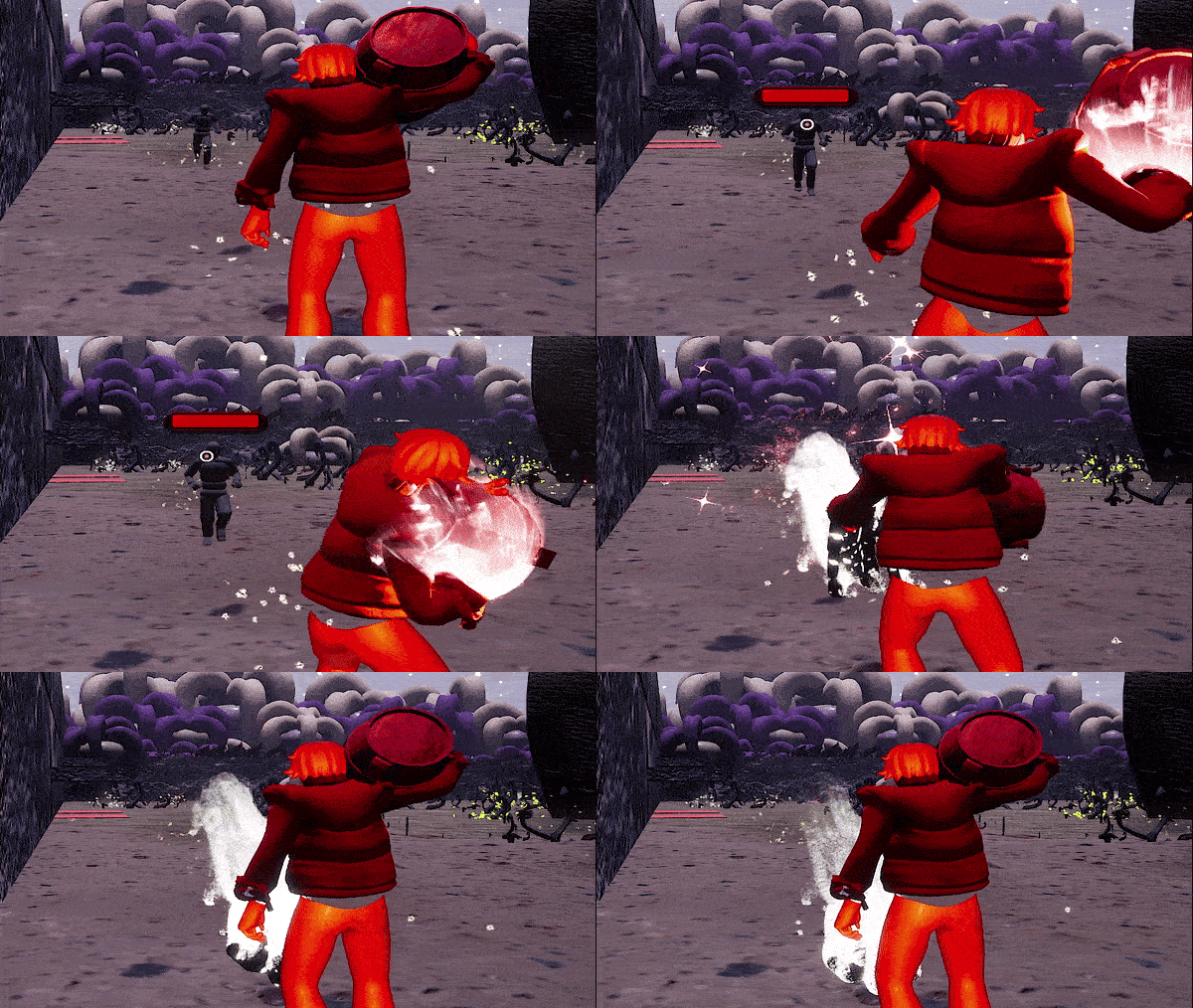
Coral (Red): Ranged — throws barrels to damage enemies and trigger red switches.
-
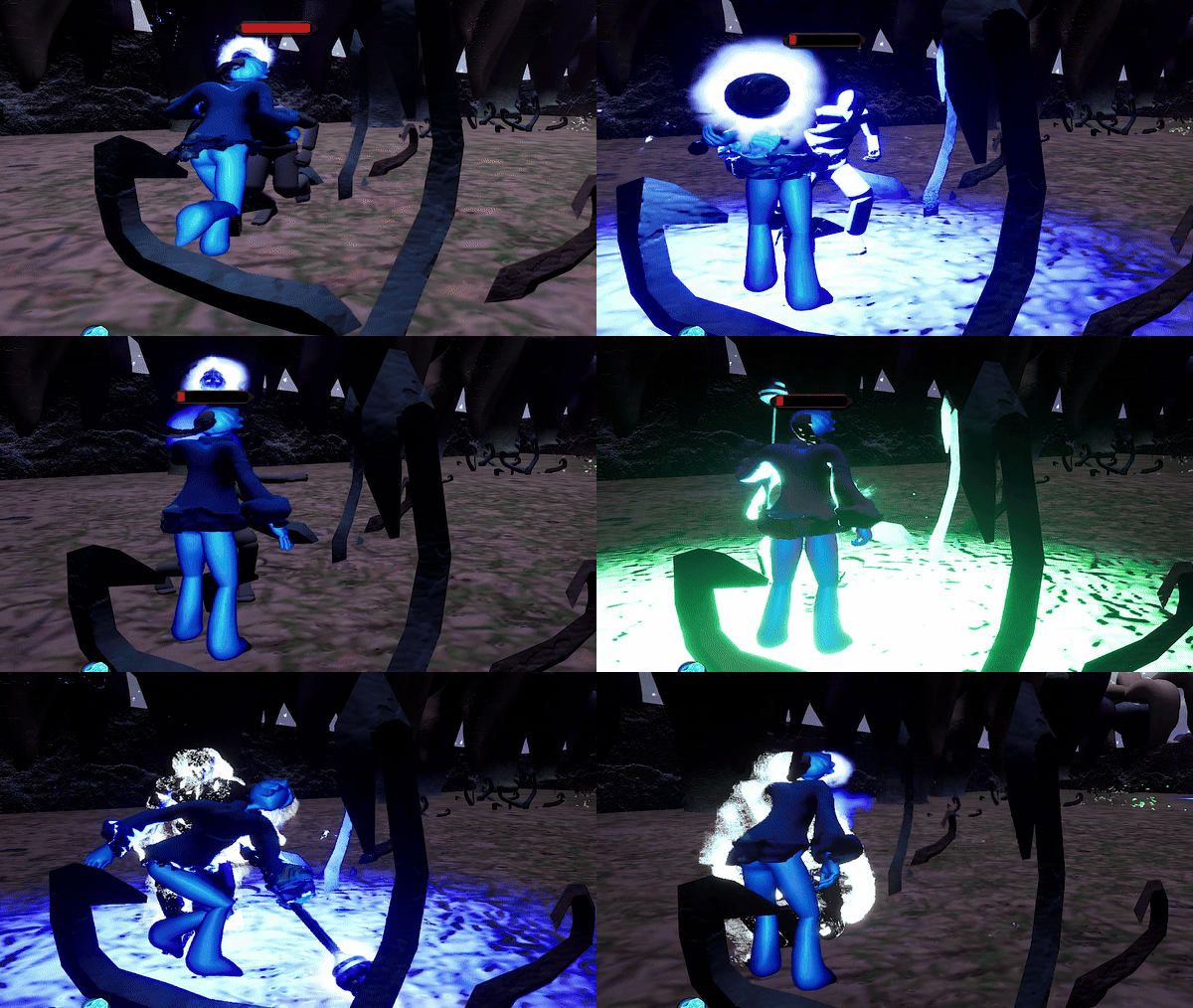
Navy (Blue): Melee — close-range combat and blue switch interactions.
-
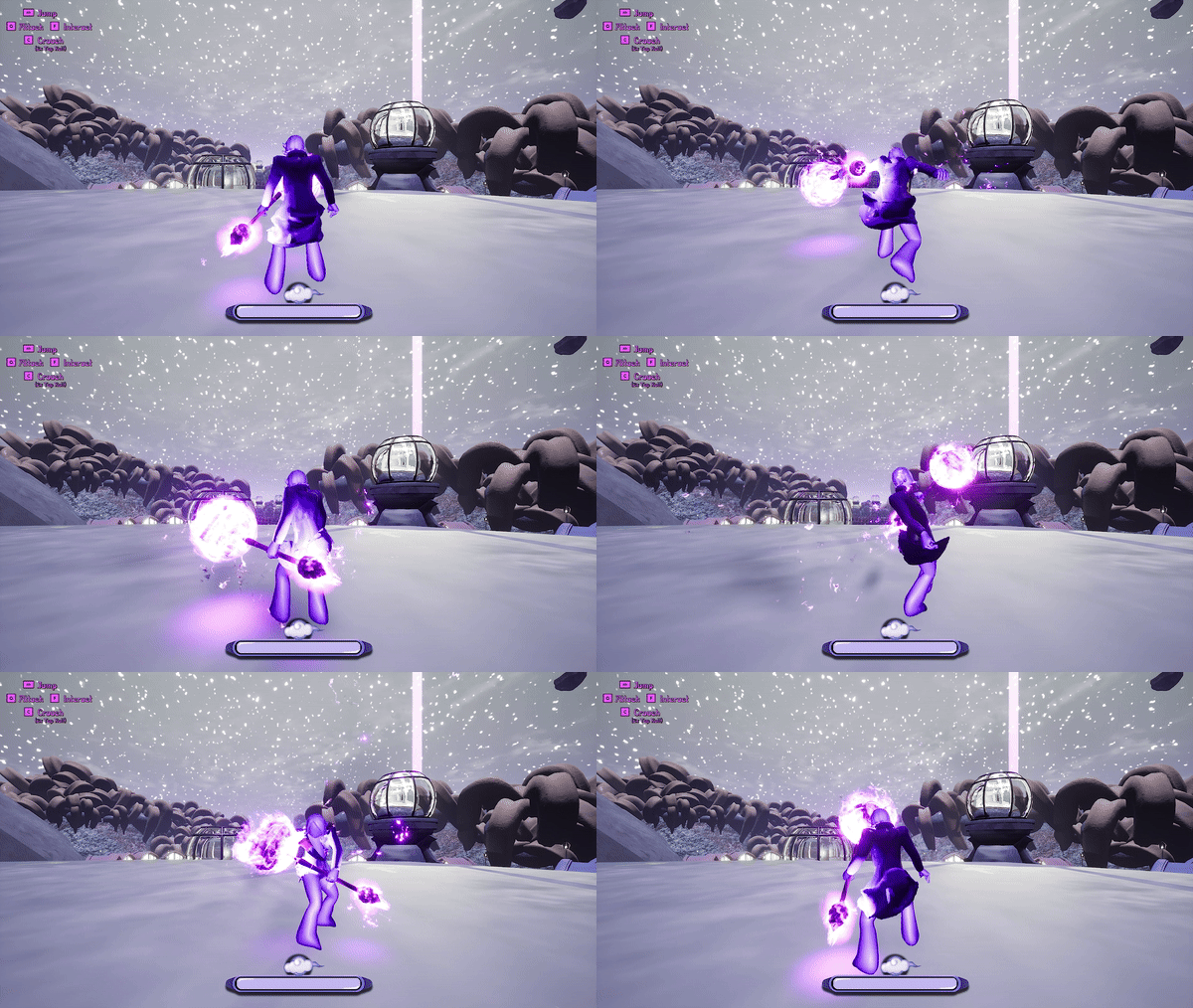
Purple (Merged Form): Hybrid — heavy melee damage, can take more hits, and interact with purple switches.
UI/UX Systems
-
Main Menu: Play, Credits, Quit with custom cursor icons and sound feedback.
-
Pause Menu: Accessible with P or ESC, returns via ESC or P, sound integrated.
-
Settings Tab: Added options for Graphics, Sound, and Control Configuration.
Coral Playable Character Combat
The Coral Character "RED" is a ranged character that throws barrels at enemies. Additionally, this character can open doors by throwing barrels at red switches.
Purple Playable Character Combat
Purple is great at close combat and can perform melee attacks on enemies. You can get this character by merging Coral with Navy. Purple can take more damage, deal more damage and can interact with purple buttons to solve puzzles.
Pause menu
Press the P or Escape button to pause the game. Use the spacebar and P button to return without a back button and with a sound effect.

Navy Playable Character Combat
The Navy character known as "Blue" specializes in close combat and performs melee attacks on enemies. The Navy character can interact with blue interactable buttons to solve puzzles.
Main Menu
The main menu for the game consists of a play button, credits, and a quit game option. The cursor has custom icons and produces a click sound effect whenever a button is clicked. The menu also has smooth option pop-up effect.

Settings Tab
I have added options for graphics settings, sound settings and control settings.

⚔️ Gameplay Demo
🧪 Early Prototype
Reference
In case you want feedback about my work, you can contact
Adam Daniels, Lead Game Designer.
If you have any questions, you can also contact me at my email address:
Thank you!